Bus Simulator — Drive Real Coaches on World Routes
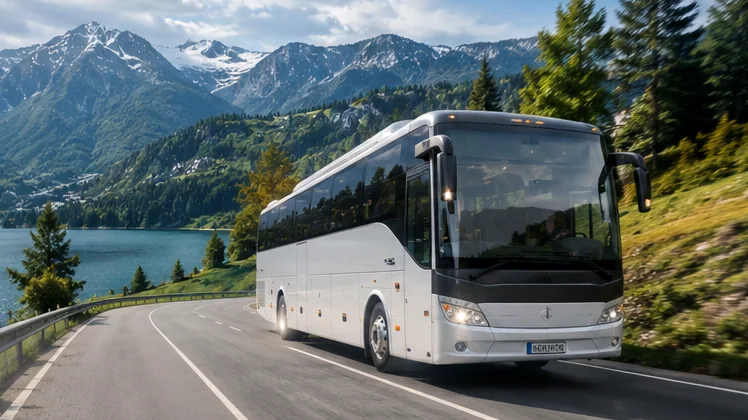
Bus Simulator puts you behind the wheel of officially licensed coaches from Mercedes-Benz, Setra, Temsa, Scania and Marcopolo. Carry passengers between real cities, open offices worldwide and build your own bus company, free on Android and iPhone with an easy route to play on PC.
What Is Bus Simulator
Bus Simulator : Ultimate mixes careful driving with running a growing transport company.

From the makers of Truck Simulator : Ultimate
Bus Simulator : Ultimate is the coach bus game from Zuuks Games, the Istanbul-based studio behind Truck Simulator : Ultimate. Google Play introduces the current release as version 2 of the game, with realistic graphics, detailed city modelling and officially licensed buses.
Each trip starts at a station and ends with passengers delivered to their destination. Earnings fund new offices, wider networks and better buses, while the Ultimate League lets you test your skills against other drivers online.
- DeveloperZuuks Games
- PlatformsAndroid, iPhone & iPad
- PriceFree, optional purchases
- MultiplayerUltimate League
- RatingEveryone (Play) · 4+ (App Store)
- LanguagesMore than 25
Features That Make Every Route Feel Real
Bus Simulator : Ultimate combines licensed vehicles, real places and company building in one game.
Officially Licensed Buses
Drive licensed coaches from Mercedes-Benz, Setra, Temsa, Scania and Marcopolo.
Real City Maps
Routes and stations in places such as Hong Kong, Ireland, Qatar, Malaysia and Taiwan.
Your Own Bus Company
Open offices across the world and grow a network that keeps expanding.
Living Passenger System
Riders react socially and realistically to how smoothly you drive.

Ultimate League Online
Compete with other drivers in the game's multiplayer league.
Three Control Styles
Steer with tilt, on-screen buttons or a virtual steering wheel.
Realistic Bus Sounds
Engine, doors and brakes sound like a real coach on the move.
25+ Languages
Play in your own language with more than 25 options available.
How a Bus Simulator Route Works
Bus Simulator follows four simple stops from engine start to company growth.
Start the Engine
Press the Start or Stop button to bring the coach to life.
Shift Into D
Move the gear selector on the right of the screen to Drive.
Drive the Route
Use the accelerator and brake pedals, signal and follow traffic.
Earn and Expand
Deliver passengers, collect earnings and open new offices.
Where You Can Play Bus Simulator
Bus Simulator : Ultimate runs on phones and tablets, and on computers through an emulator.
Install from Google Play or the direct package in the download section.
AvailableInstall from the Apple App Store listing published by Zuuks Games.
AvailableNo native desktop build is listed; run the Android game in an emulator such as BlueStacks or GameLoop.
Via emulatorSteam hosts a different Bus Simulator series by astragon Entertainment, such as Bus Simulator 21 Next Stop.
Separate gameWays Players Enjoy Bus Simulator
Bus Simulator fits quick breaks, long evenings and competitive play alike.
Short Sessions on the Go
Finish a quick route while waiting or travelling as a passenger.
Building a Transport Business
Plan offices and routes like a real coach company owner.
Competing With Friends
Join the Ultimate League and see who drives the cleanest routes.
Exploring World Cities
Discover stations and roads across many countries from your screen.
Relaxed Long-Distance Drives
Enjoy calm highway cruising with realistic engine sound.
Big-Screen Play on PC
Run the game in an Android emulator for a wider view.
Benefits of Choosing Bus Simulator
Bus Simulator delivers practical value beyond its feature list.
Bus Simulator gives you the calm focus of a long coach route and the strategy of running a company, all from a phone.
Short sessions still count toward progress, and the same game travels with you from phone to tablet to PC.
Free to Start
Install at no cost and decide later whether any optional purchase is worth it.
Real Coach Feel Without Hardware
Licensed buses and realistic sounds deliver a convincing drive using only a phone.
Progress You Can See
Every route grows your company, so short sessions still move you forward.
Plays on Devices You Own
Android, iPhone, iPad and PC through an emulator all work.
Regular Store Updates
Store installs receive improvements and fixes automatically.
How to Install Bus Simulator on Your Device
Bus Simulator installs in a few steps; pick your device below.
Get the Package
Tap a Download button on this page, or open the Google Play listing.
Free Up Space
Keep several gigabytes free and connect to stable Wi-Fi.
Install the Game
Play installs in one tap; the XAPK file needs an XAPK installer such as APKPure.
Launch and Load
Open the game and let extra data finish before driving.
Open the App Store
Use the App Store button in the download section.
Confirm the Developer
Check that Zuuks Games appears under the game title.
Tap Get
Confirm with Face ID, Touch ID or your account password.
Start Driving
Open the icon once the download completes and pick a control style.
Install an Emulator
Download BlueStacks or GameLoop from its official website.
Enable Virtualization
Switch on VT-x or AMD-V in BIOS for smooth performance.
Install From Play
Sign in to Google Play inside the emulator and install the game.
Map Your Keys
Assign keys to pedals, steering, doors and indicators.
Need more detail? Read the free download walkthrough or the PC emulator setup.
Download Bus Simulator
Bus Simulator : Ultimate is free; choose the direct package or an official store.
Bus Simulator : Ultimate
Start the latest Android package with one tap, or install through Google Play and the App Store for automatic updates.
The XAPK file needs an XAPK installer such as the APKPure app. Google Play installs the game in one tap.
Download Safety Information
Bus Simulator installs stay safe when you follow a few simple checks.
Use the Linked Sources
Install from Google Play, the App Store or the standard package linked on this page, never from modified-file sites.
Check Package and Developer
Look for the developer name Zuuks Games and the package name com.zuuks.bus.simulator.ultimate.
Review Permissions
A driving game needs storage and network access, not your contacts or messages.
Control In-App Purchases
Turn on purchase approval or password prompts, especially on children's devices.
Keep the Game Updated
Updates bring fixes and keep your version compatible with online play.
Bus Simulator Pros and Cons
Bus Simulator has clear strengths and a few limits worth knowing.
Pros
- Free to download on Android and iOS
- Officially licensed buses from well-known brands
- Real city maps and bus stations in many countries
- Ultimate League multiplayer for competitive players
- Tilt, button and steering wheel controls
- More than 25 language options
Cons
- Ads appear in the free version
- Some extras are tied to purchases or memberships
- Large download that needs plenty of storage
- No native Windows build; PC play needs an emulator
- Detailed graphics can run slower on older phones
Release and Version Information
Bus Simulator : Ultimate receives updates through the official app stores.
The Google Play description presents the current game as Bus Simulator : Ultimate version 2, the coach simulation from the makers of Truck Simulator : Ultimate.
Version numbers and patch notes change with each update, so the store page is always the most accurate place to check them. Look for the What's new section on Google Play or the App Store for the latest changes.
- Store installsGoogle Play and the App Store deliver updates automatically.
- Direct packageThe download button always requests the latest available package.
- Online playStaying current keeps your game compatible with the Ultimate League.
Fix Common Bus Simulator Problems
Bus Simulator issues usually come down to storage, connection or settings.
| Problem | What to try |
|---|---|
Download stops or fails | Free more storage than the game needs, switch to stable Wi-Fi and clear other items from the download queue. |
XAPK file will not install | Open the file with an XAPK-capable installer such as the APKPure app, or install through Google Play instead. |
Game closes on launch | Restart the device, update the system software and make sure extra data finished downloading on first launch. |
Lag or low frame rate | Lower shadows and reflections, close background apps and turn off battery saver while driving. |
Ultimate League will not connect | Update the game, move to a stronger connection and check that your membership status is active where required. |
Purchases not showing | Sign in with the same store account used for the purchase and use the restore option if the game provides one. |
Latest Bus Simulator Guides
Bus Simulator walkthroughs for downloading, PC play, settings and better driving.

Bus Simulator Frequently Asked Questions
Bus Simulator answers grouped by gameplay and by download and platforms.
Bus Simulator : Ultimate is a coach bus driving and management game from Zuuks Games. You carry passengers between real-world cities, open offices around the world and grow a bus company, with an Ultimate League mode for online play.
The game is developed and published by Zuuks Games, a studio based in Istanbul, Türkiye, which also makes Truck Simulator : Ultimate.
The store listing names officially licensed buses from Mercedes-Benz, Setra, Temsa, Scania and Marcopolo.
The listing mentions realistic city maps and bus stations including Hong Kong, Ireland, Israel, Qatar, Malaysia, Thailand, Taiwan and more.
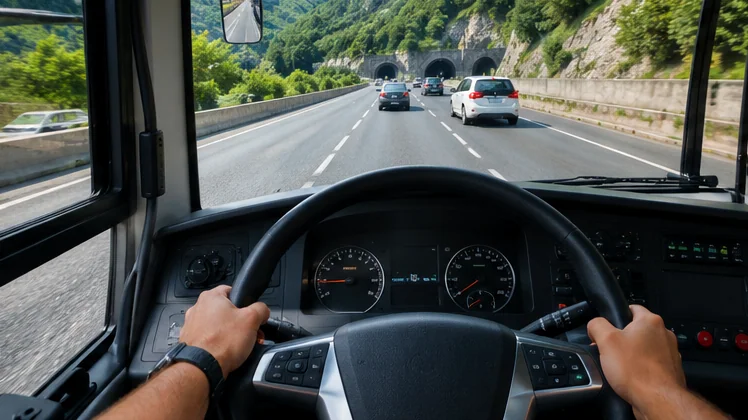
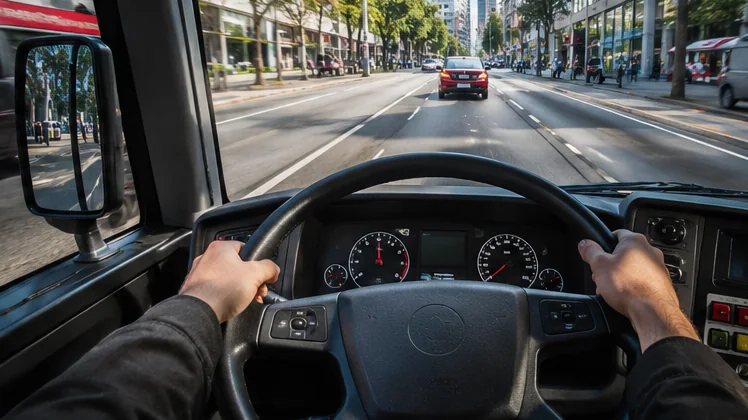
Press the Start or Stop button to start the engine, move the gear selector on the right of the screen to D, then use the accelerator and brake pedals to drive.
You can steer with tilt, on-screen buttons or a steering wheel, and switch between them in the settings to find what feels most natural.
Yes. The Ultimate League is the game's multiplayer mode. Store listings also describe a membership linked to multiplayer access, so check the terms shown in your region.
Yes. The game lets you establish a bus company, open offices in many places around the world and expand your network as you complete routes.
The passenger system is described as giving social and realistic reactions, so smooth starts, gentle braking and tidy stops help keep riders happy.
The store description lists support for more than 25 languages, selectable from the game settings.
Yes. Bus Simulator : Ultimate is free to install on Android and iOS. It includes ads and optional in-app purchases, which are not required to start playing.
It starts the latest Bus Simulator : Ultimate package from APKPure for Android. Large games arrive as an XAPK file, which needs an XAPK-capable installer such as the APKPure app.
Yes. The Google Play button in the download section opens the official listing, which installs and updates the game automatically.
Yes. Zuuks Games publishes the game on the Apple App Store for iPhone and iPad.
Zuuks Games lists the game for Android and iOS. On Windows or macOS, players run it through an Android emulator such as BlueStacks or GameLoop.
No. The Bus Simulator series on Steam, including Bus Simulator 21 Next Stop, is published by astragon Entertainment and developed by stillalive studios. It is a separate paid game.
The game is a large download with detailed cities and buses, and it can fetch extra data on first launch. Keep several gigabytes free and check the size shown on your store page.
Low storage, an unstable connection or a full download queue are the usual causes. Free up space, switch to stable Wi-Fi and retry the download.
Store installs update automatically. If you used the direct package, download the newer package again from this page when an update is released.
No. This site shares information about the game and links to the official stores and a standard package source. The official developer website is zuuks.com.