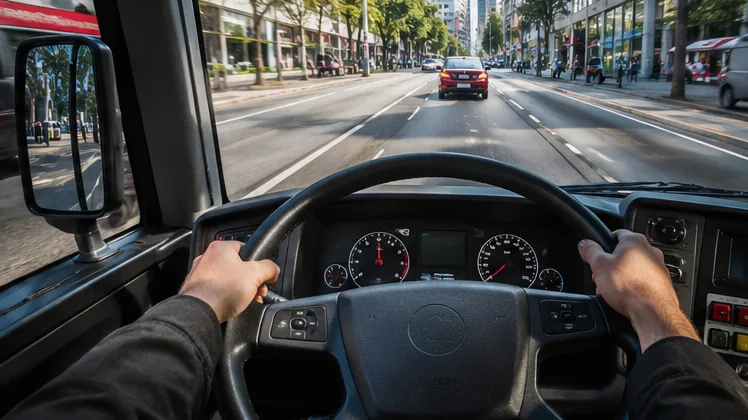
Bus Simulator PC searches usually come from two kinds of players: mobile fans who want Bus Simulator : Ultimate on a bigger screen, and desktop players looking for a full bus game on Steam. Both are possible, but they lead to different products, so knowing which one you want saves time and money.
Bus Simulator : Ultimate is a mobile game from Zuuks Games, built for Android and iOS. The Bus Simulator series on Steam, including Bus Simulator 21 Next Stop, comes from publisher astragon Entertainment and developer stillalive studios. This article walks through every practical way to drive a bus on a Windows computer.
Option One: Play the Mobile Game Through an Emulator
An Android emulator runs Android apps inside a window on Windows or macOS. Popular choices such as BlueStacks and GameLoop include the Google Play Store, so you can sign in with a Google account and install Bus Simulator : Ultimate exactly as you would on a phone. Your progress follows the account you use.
BlueStacks lists Windows 7 or later, macOS 11 or later, at least 4 GB of RAM and 10 GB of free disk space as its baseline. Those are the emulator's own requirements; a detailed simulation game feels smoother with more memory, an SSD and updated graphics drivers.
Why Players Like the Emulator Route
- A large display makes mirrors, gauges and the route map easier to read.
- Keyboard and mouse mapping turns on-screen buttons into physical keys.
- No phone battery drain or overheating during long coach routes.
- The same Google account can carry your game across phone and PC.
Option Two: Cloud Play in a Browser
Some emulator providers stream Android games from their servers, so the game runs remotely and only video reaches your computer. BlueStacks mentions cloud play on its Bus Simulator : Ultimate page. This suits laptops with weak graphics, although a fast and stable connection is essential for smooth steering.
Streaming adds input delay, which is noticeable when braking at bus stops or threading through traffic. Treat cloud play as a convenient way to try the game rather than the best way to play long sessions, and check the provider's terms for any session or region limits.
Option Three: The Bus Simulator Series on Steam
The Steam series is a separate set of games for PC and consoles. Bus Simulator 21 Next Stop released on Steam on September 7, 2021, and its store page describes around 30 officially licensed buses from brands including MAN, Mercedes-Benz, Scania, Setra and Volvo, across two large maps set in the USA and Europe.
The Steam title is a paid game and runs natively on Windows, with management tools for timetables, fleets and routes. It is a strong pick for desktop players who want a complete PC simulation, but it will not share progress with Bus Simulator : Ultimate on your phone.
| Route | Game you play | Cost to start | Best for |
|---|---|---|---|
| Android emulator | Bus Simulator : Ultimate | Free game, free emulator | Mobile fans wanting a big screen |
| Cloud play | Bus Simulator : Ultimate | Depends on provider | Low-power laptops |
| Steam | Bus Simulator 21 Next Stop and other series entries | Paid purchase | Full desktop simulation |
Choosing Between the Options
Start with what you already enjoy. If your phone save holds hours of progress, the emulator route keeps that history and adds a bigger view. If you have never played either game and own a capable gaming PC, the Steam series gives a desktop-first experience with deeper management.
Hardware matters too. Emulators need virtualization switched on in the BIOS or UEFI for good performance, and they share memory with Windows. A machine with 8 GB of RAM or more and a dedicated graphics card handles detailed city maps far better than a basic office laptop.
Quick Decision Points
- Want free play and phone progress: choose an emulator.
- Have a slow PC but fast internet: try cloud play.
- Want native PC controls, wheels and deep fleet tools: look at Steam.
Controls on a Computer
Emulators let you place keys over on-screen controls. A common layout puts accelerate and brake on W and S, steering on A and D, and the door, indicator and horn buttons on nearby letters. Save the layout as a profile so it loads every time the game starts.
Steam titles support keyboards, controllers and many steering wheels natively. Mobile games inside emulators usually treat a wheel as a set of keys, which feels less precise. That difference is worth weighing if you already own a wheel and pedal set.
Saving Space and Keeping Things Tidy
Emulators grow over time as games download extra data. Check the emulator's disk usage page every few months and remove apps you no longer use. Installing the emulator on an SSD with spare room keeps loading screens short and prevents sudden storage warnings mid-update.
Steam players can manage space from the Steam library by viewing installed content and uninstalling unused downloadable content. Both routes benefit from a little housekeeping, especially on laptops with small drives.
Frequently Asked Questions
Is there an official Windows version of Bus Simulator : Ultimate?
The store listings from Zuuks Games cover Android and iOS. On a computer, players use an Android emulator or cloud play to run the mobile game.
Can I move my phone progress to the PC?
Signing in with the same account inside the emulator gives the game a chance to restore progress, provided you linked your save to that account on the phone first.
Is the Steam Bus Simulator the same game?
No. The Steam series comes from astragon Entertainment and stillalive studios, while Bus Simulator : Ultimate is made by Zuuks Games for mobile devices.
Do I need a gaming PC?
A gaming PC helps, but many mid-range laptops run the mobile game through an emulator at moderate settings. Steam titles list their own requirements on the store page.
Conclusion
Bus Simulator PC play comes down to three routes: an Android emulator for Bus Simulator : Ultimate, cloud streaming for lighter machines, or the separate Steam series for a native desktop simulation. Each one suits a different player, so match the choice to your hardware and to the game you already enjoy.
Players staying with the mobile game can grab the package from the download section and follow the emulator walkthrough to get driving on a larger screen.