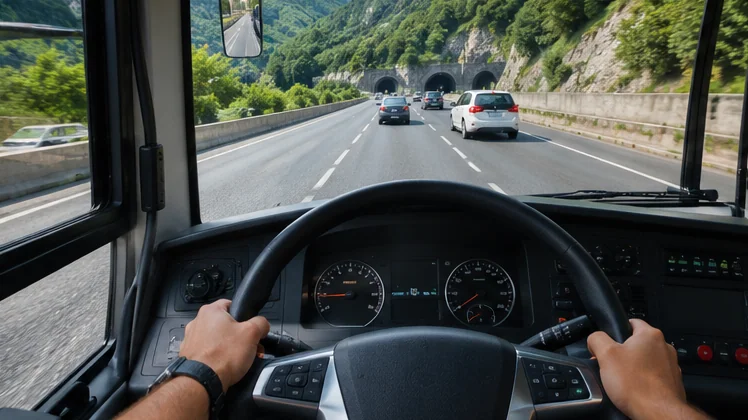
Bus Simulator online play centres on the Ultimate League, the multiplayer mode named in the Bus Simulator : Ultimate store listing. Instead of driving alone through quiet city streets, you share roads with other players, compare progress and test your driving against people rather than computer-controlled traffic.
Multiplayer changes the feel of the game. Routes become busier, mistakes are visible to others, and good driving earns a reputation. This article explains how the league fits into the game, what your device and connection need, and how to keep sessions smooth and fair.
What the Ultimate League Is
The Google Play and App Store descriptions list a free multiplayer game called the Ultimate League among the main features. It sits alongside single-player career driving, where you carry passengers, earn money and open offices in cities around the world. The league adds a competitive layer on top of that career.
The same listings also mention an Ultimate League membership that is billed as a subscription. Store text ties multiplayer access to that membership, and a separate VIP membership is described with monthly rewards and ad removal. Read the current listing in your region before subscribing, because terms and prices can change.
| Mode | Who you drive with | Main goal |
|---|---|---|
| Career | Computer-controlled traffic | Grow your bus company and network |
| Ultimate League | Other players online | Compete, compare progress and climb |
What You Need for Smooth Online Play
Online driving depends on a steady connection more than raw speed. A stable Wi-Fi network with low ping keeps other buses moving smoothly on your screen. Mobile data works, but signal drops in trains, tunnels or crowded areas cause stutters and disconnects at the worst moments.
Device performance matters as well. Multiplayer sessions show more vehicles at once, which raises the load on the processor and graphics chip. Closing background apps and lowering a few graphics options often makes a bigger difference than a faster internet plan.
Connection Checklist
- Use 5 GHz Wi-Fi close to the router when possible.
- Pause large downloads and video streams on the same network.
- Switch off battery saver, which can throttle network activity.
- Keep the game updated so you match the version other players use.
Driving Etiquette in Shared Sessions
Good manners make the league fun for everyone. Keep to your lane, use indicators before turning, and stop fully at bus stops rather than blocking junctions. Ramming other buses might look funny once, but it ruins routes for players who are trying to drive properly.
Patience pays off at busy terminals. Wait for a clear gap before reversing out of a bay, and give way to buses already moving. Players who drive cleanly tend to finish routes with fewer penalties and happier passengers, which feeds straight back into progress.
- Signal early and brake gently near other players.
- Avoid parking across station entrances.
- Use the horn sparingly; constant honking annoys everyone.
Memberships, Purchases and Parental Controls
Optional purchases appear throughout the game, from gold packs to membership tickets. None are needed to install the game, yet they can speed up progress or unlock extras. Set a budget before playing online, since competitive modes make it tempting to buy shortcuts.
Parents can block surprise charges with store-level controls. Google Play supports purchase authentication for every transaction, and Apple offers Ask to Buy through Family Sharing. Both stop accidental subscriptions when children play the league on a shared device.
Fixing Lag and Disconnects
Lag usually comes from the network, while stutter often comes from the device. Test both separately: if single-player routes run smoothly but multiplayer stutters, the connection is the likely cause. If everything stutters, lower graphics quality and check device temperature.
| Symptom | Likely cause | Fix to try |
|---|---|---|
| Other buses jump around | High ping or packet loss | Move closer to the router or switch networks |
| Kicked from session | Signal drop or outdated version | Update the game and reconnect |
| Low frame rate in busy areas | Device load | Lower graphics and close background apps |
| League locked | Membership required in your region | Check the store listing and account status |
Playing on a larger screen helps in crowded sessions too. The PC play options article explains emulator and cloud routes, and the driving tips guide covers smooth braking and stop handling.
Getting Ready for Your First League Session
Practise in career mode before going online. Knowing how the bus responds to braking, how wide it swings through corners and how long stops take makes shared roads far less stressful. A few clean single-player routes build the confidence that competitive sessions demand.
Check your settings before joining as well. Pick the control style you trust most, set graphics so the frame rate stays steady in busy areas, and make sure notifications will not interrupt a long route. Small preparations like these prevent most early frustrations.
- Finish a handful of career routes without collisions.
- Test controls at low speed in a station area.
- Charge the phone or plug in the laptop before a session.
Playing Online on a Larger Screen
Busy league sessions show many vehicles at once, and a bigger display helps you read mirrors and traffic. Tablet players benefit from extra screen space, while PC players can run the Android game through an emulator with keyboard controls mapped to every action.
Whichever device you use, keep the same account signed in so league progress stays together. Switching between phone and emulator works smoothly when both run the latest version and share the same store login.
Frequently Asked Questions
Is online play free?
The store listing calls the Ultimate League a free multiplayer game, while also describing a paid membership linked to multiplayer access. Check the current listing in your country for the exact terms.
Can I play online with friends on PC and phone?
The emulator runs the same Android game, so a PC player using an emulator joins the same online system as phone players, as long as both use the current version.
Does online play use a lot of data?
Multiplayer uses data continuously during sessions. Wi-Fi is the safer choice for long routes, especially on limited mobile plans.
Conclusion
Bus Simulator online play through the Ultimate League turns quiet routes into shared roads where clean driving and steady connections matter. Check the membership terms in your region, use stable Wi-Fi, keep the game updated and drive with the same care you would want from others.
Get the latest version from the download section before joining, so your game matches the players you meet on the road.